
Ever asked ChatGPT a question and gotten a vague, generic answer that wasn’t quite what you needed? The problem usually isn’t the AI — it’s the prompt. ChatGPT (and tools like it) can only work with what you give it. A clear, well-structured prompt is the difference between a bland, one-size-fits-all response and one that actually solves your problem.
This guide will walk you through the basics of prompt writing, step by step, so you can start getting better, more useful answers today.
What Is a “Prompt” Anyway?
A prompt is simply the instruction or question you type into ChatGPT. It can be a single sentence (“Write a birthday message”) or several paragraphs with detailed instructions. The more context and structure you give, the better the AI understands what you actually want.
Why Most Beginner Prompts Fail
New users often type prompts the way they’d type a Google search — a few keywords and nothing else. For example:
“marketing email”
This gives ChatGPT almost nothing to work with, so it has to guess: what product, what tone, who’s the audience, how long should it be? The result is usually generic and needs heavy editing.
5 Rules for Writing Better ChatGPT Prompts
1. Be Specific About What You Want
Instead of asking for something broad, describe the exact outcome. Compare these two prompts:
- Weak: “Write a product description”
- Better: “Write a 100-word product description for a handmade leather wallet, targeting young professionals, in a friendly and confident tone”
The second version gives ChatGPT clear boundaries — length, product, audience, and tone — so there’s far less guesswork involved.
2. Give Context
ChatGPT doesn’t know your business, your customers, or your goals unless you tell it. A short bit of background dramatically improves the output. For example: “I run a small home bakery in Lahore that specializes in custom birthday cakes” gives the AI something real to work with instead of a blank slate.
3. Assign a Role
Asking ChatGPT to “act as” a specific type of expert often improves the quality and tone of the response. For instance: “Act as an experienced social media manager and suggest three Instagram caption ideas for a new sneaker launch.” This framing nudges the AI toward more professional, relevant output.
4. Specify the Format
If you want a list, a table, bullet points, or a specific structure, say so directly. Vague requests get vague formatting; specific requests get exactly what you asked for. For example, asking for “5 bullet points, each under 15 words” will get you exactly that instead of a long paragraph.
5. Iterate Instead of Starting Over
If the first response isn’t quite right, don’t abandon it and start a fresh prompt from scratch. Instead, build on what you got: “Make this shorter and more casual” or “Add a call-to-action at the end.” ChatGPT remembers the conversation, so refining is usually faster than rewriting.
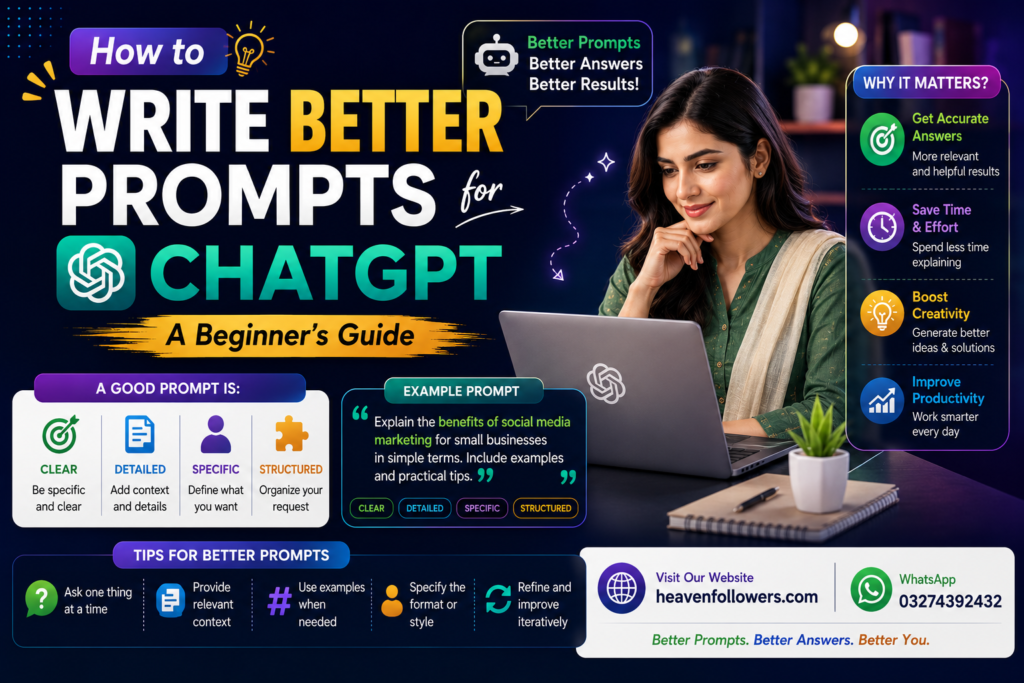
A Simple Prompt Formula for Beginners
A reliable starting structure looks like this:
[Role] + [Task] + [Context] + [Format] + [Tone]
Example: “Act as a fitness coach. Write a 4-day beginner workout plan for someone with no gym equipment, formatted as a numbered list, in an encouraging tone.”
This single sentence covers all five elements and will almost always produce a far better result than a one-line question.
Common Mistakes to Avoid
- Being too vague: “Help me with my resume” vs. “Rewrite this resume summary to highlight leadership experience for a marketing manager role”
- Overloading one prompt: Asking for five unrelated things at once often leads to a rushed, shallow response for each. Break big requests into smaller steps.
- Not reviewing the output: ChatGPT can occasionally get facts wrong or make assumptions. Always review important content — especially numbers, dates, or claims — before using it.
- Forgetting to iterate: Many beginners accept the first response as final instead of refining it further.
Practice Prompts to Try
- “Act as a travel guide. Suggest a 3-day itinerary for a budget trip to Islamabad, formatted as a day-by-day list.”
- “Act as a copywriter. Write two versions of a Facebook ad for a home-based bakery — one formal, one casual.”
- “Summarize this paragraph in one sentence for a non-technical audience: [paste your paragraph]”
Try tweaking these with your own business or topic to see how much of a difference a well-structured prompt makes.
Conclusion
Getting great results from ChatGPT isn’t about luck — it’s about giving the AI clear instructions the same way you would brief a human assistant. Be specific, add context, assign a role, define the format, and don’t be afraid to refine your first attempt. With a little practice, writing effective prompts becomes second nature, and the quality of your AI-generated content will improve dramatically.